


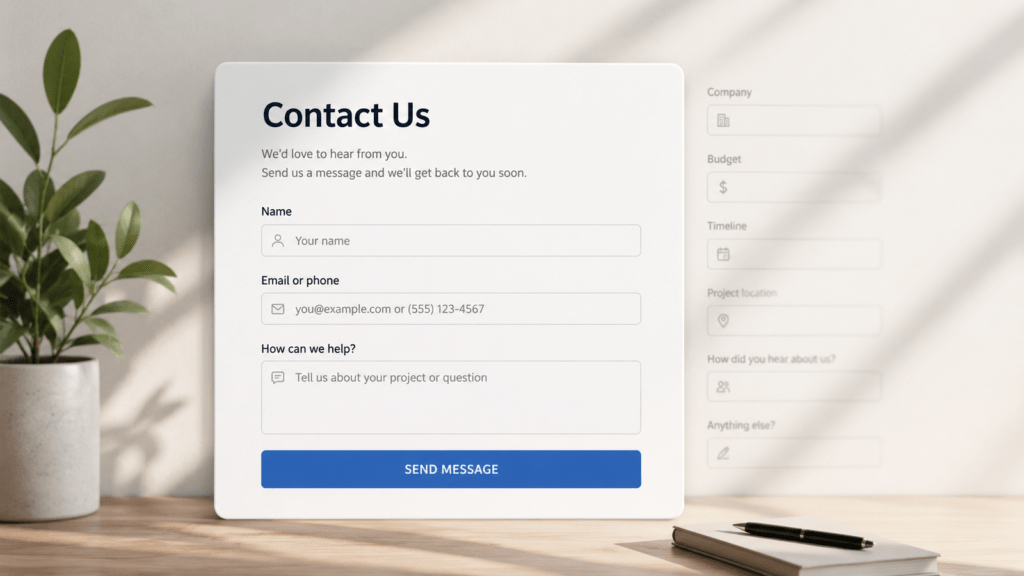
You’re building your website and reach the contact form.
Name. Email. Phone. Company. Budget. Service. Timeline. Address. How did you hear about us?
Before long, asking a simple question feels like applying for a mortgage.
So, what do you actually need?
Start with the essentials
For many small businesses, three fields may be enough:
Name
Email or phone
How can we help?
Every additional field should have a reason for being there.
A contractor might need a project location. A photographer might need an event date. A consultant might want to know which service someone is interested in.
Ask yourself: Will knowing this help me respond better?
If not, consider removing it.
Qualification vs. friction
Questions about budget, timeline or company size can help filter inquiries. But there’s a trade-off.
More fields give you more information. They also give your visitor more work.
If you’re receiving lots of irrelevant inquiries, qualification questions may help. If hardly anyone completes your form, adding more questions probably isn’t the solution.
And don’t make every field mandatory. If you’d like a phone number but can respond by email, consider making it optional.
Your contact form is part of the conversion process. As I discussed in Pretty Websites Don’t Necessarily Generate Leads, a good-looking website still needs to make it easy for visitors to take the next step.
Collect more without asking more
Not everything needs to be a visible field.
Hidden fields can automatically capture useful information such as the page where the form was submitted and UTM parameters from your marketing campaigns.
For example:
utm_source: Google
utm_medium: CPC
utm_campaign: summer-promo
Pass this information with the submission or into your CRM, and you can understand where inquiries came from without asking visitors another question.
This also makes it easier to identify which campaigns and channels are actually generating leads.
A simple rule
For every visible field, ask:
“What will I do differently with this information?”
If you don’t have a good answer, you probably don’t need it.